
A payment link is a secure page your customer opens from a text or an email, enters their card, and pays. It works for quotes, deposits, balances, and any sale where the customer is not standing in front of you.
See if it fitsThree steps, no website, no hardware.
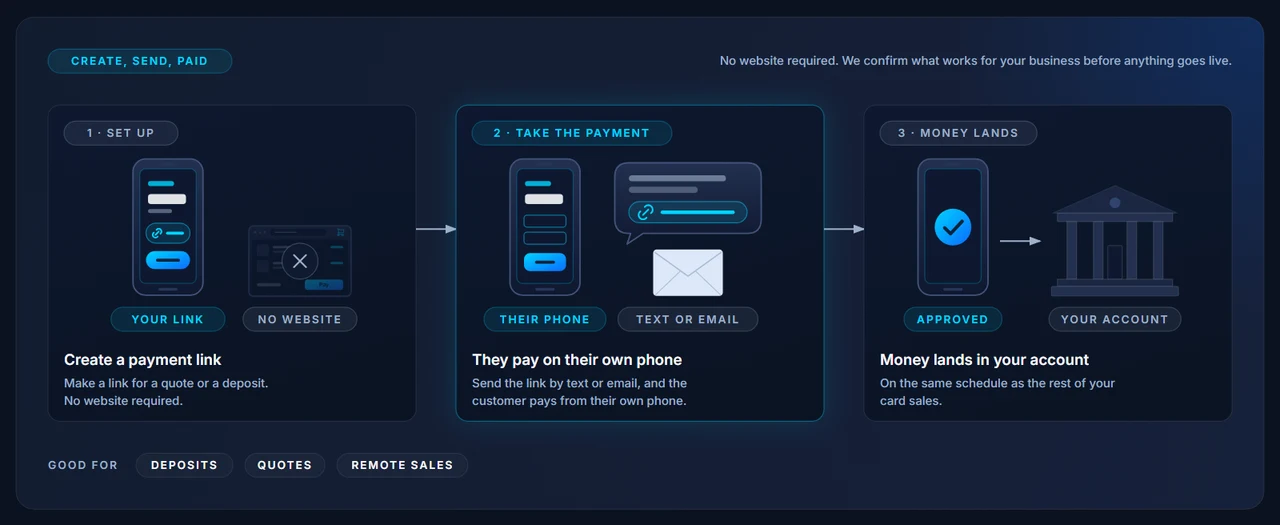
Enter the amount and a short description, such as the quote number or the deposit. The link is ready in seconds.
Text it, email it, or show a QR code. The customer gets a secure payment page with your business name on it.
They enter their card on the secure page. You both get a receipt, and the money settles to your account like any other sale.
A link sent from a phone, and the page the customer lands on.
Deposits before the truck rolls. Quotes accepted over the phone. A balance due after the job. A customer who wants to pay now and pick up later. A link gets you paid without a trip or a card read out over the phone.
It also keeps card numbers out of your inbox and your notebook, because the customer types their own card on a secure page.
See if it fitsThree ways to get paid without the customer in the room. Most businesses use two of them.
One amount, sent by text or email, paid in a tap. Best for deposits, quotes, and one-off sales.
An itemized bill with a due date, paid online, with the option to bill again on a schedule.
See invoicing and recurring →You key in the card yourself while the customer is on the phone. No link, no waiting.
See the virtual terminal →Send us a recent statement and we will show you what you pay today on keyed and online sales, then set you up to send links the same day you go live.