
Canada / Solutions / Software and integrations

Keep your software. We connect the payments.

Most businesses already run on something: a POS, a booking app, an invoicing tool, an online store. We check whether we can process behind it, tell you honestly how, and set it up with you.

Check my software

Three ways to connect the payments

Every piece of software connects one of these ways, or not at all. We find out which before you sign anything.

Built in

Your software has a direct connection to our processing. You type the sale once and the card payment follows it. The cleanest option when your software offers it.

Through a gateway

Your software connects through our payment gateway, and we process behind it. We pick the gateway that fits your software. Common for online stores, booking apps, and invoicing tools.

Side by side

Our terminal sits next to your software, not connected to it. Plenty of businesses run this way. The trade-off is typing the amount into both.

See it in action

What an integrated sale looks like: typed once, paid on the terminal, recorded in your books.
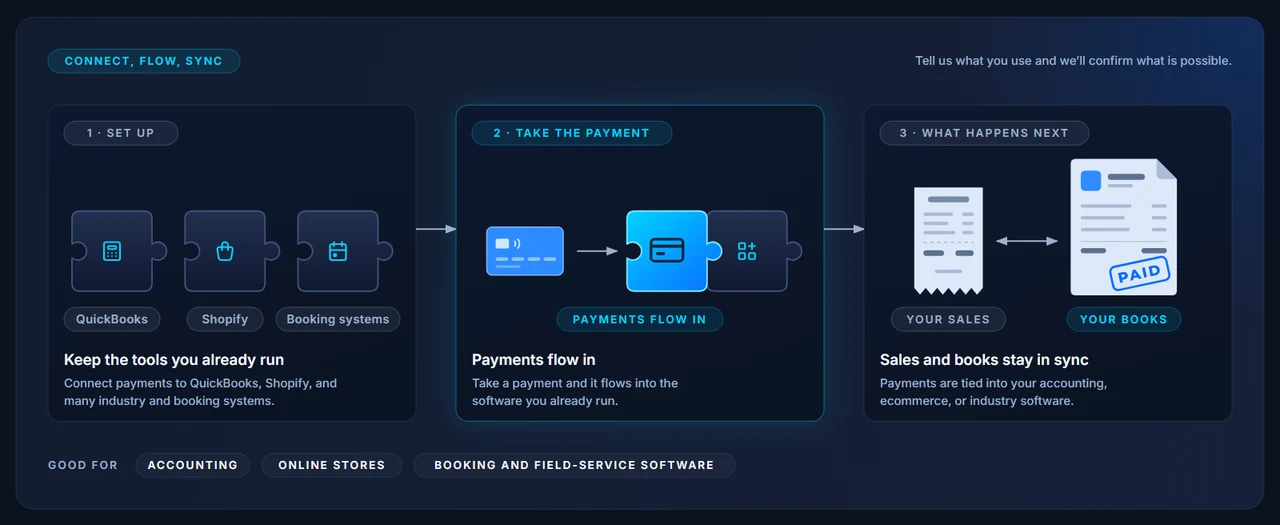
How a software integration works: keep the tools you already run, payments flow in, sales and books stay in sync.

Works with the tools you already use

Some of the platforms and connections we set up every week.

QuickBooks OnlineShopifyWooCommerceBigCommerceMagentoApple PayGoogle Payand more

Booking, scheduling, and field-service software, and industry point-of-sale systems: tell us what you run and we check it.

How we check

Tell us what you run. We get you a straight answer.

We keep a running record of the software our merchants use and how each one connects. If yours is on it, you get the answer right away. If it is not, we contact the vendor and confirm it, rather than guess.

Some software only allows its own payment processing. If yours is one of them, we tell you that too, and what your options are.

Check my software
1. You name the softwareThe POS, booking app, store platform, or invoicing tool you run today.
2. We confirm how it connectsBuilt in, through a gateway, or side by side, confirmed with the vendor when it is not already on record.
3. You get the answer and the catchWhat works, how, and any limit worth knowing, before you sign.
4. We set it up with youKeys, settings, and a test sale, so the first real one just works.

The pieces it connects to

Integrations tie your software to the ways you take payment.

Common questions

My software says I have to use their payments. Is that true?
Sometimes. Some platforms are closed and only run their own processing. Others say so in the sales pitch but still allow a gateway or a terminal beside them. We confirm with the vendor and tell you which it is.
Will I have to type every sale twice?
Only in the side-by-side setup, where our terminal is not connected to your software. If your software has a built-in or gateway connection, the sale is typed once. We tell you which applies before you decide.
Do you work with QuickBooks?
Yes. For QuickBooks Online users we offer invoicing and payments that sync to your books. See invoicing and recurring.
What if my software is not on your list?
Tell us what it is. We contact the vendor, confirm how it connects, and come back with a straight answer. Most of what we support started that way.
Does switching processors mean switching software?
Usually not. The point of an integration is to keep the software you like and change only what runs behind it. Where that is not possible, we say so up front.

Find out how your software connects

Send us a recent statement and tell us what you run. We will show you what you pay today, confirm how your software connects, and put it next to honest pricing.